Before-and-after screenshot comparison
Show exactly what changed between two UI states. Every SnapDiff feature is free, including capture, side-by-side comparison, pixel Diff, annotations, and exports, in a local workflow for web teams.
By SnapDiff / Updated


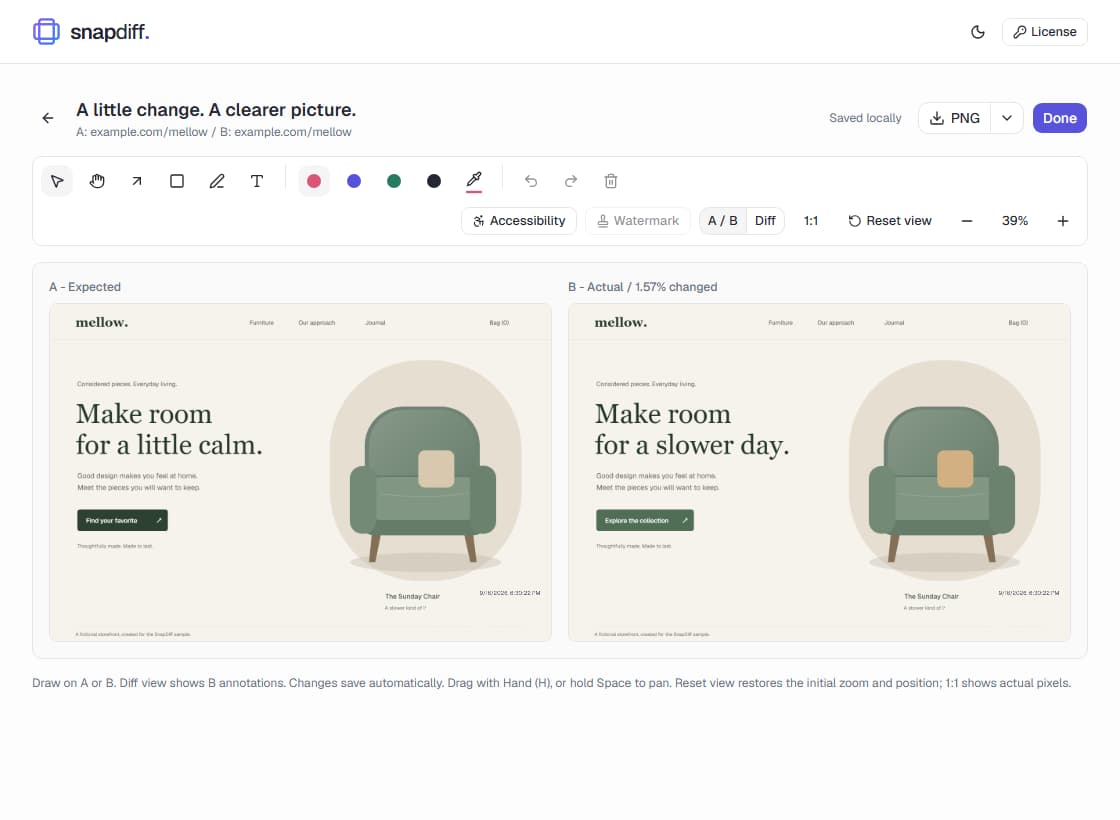
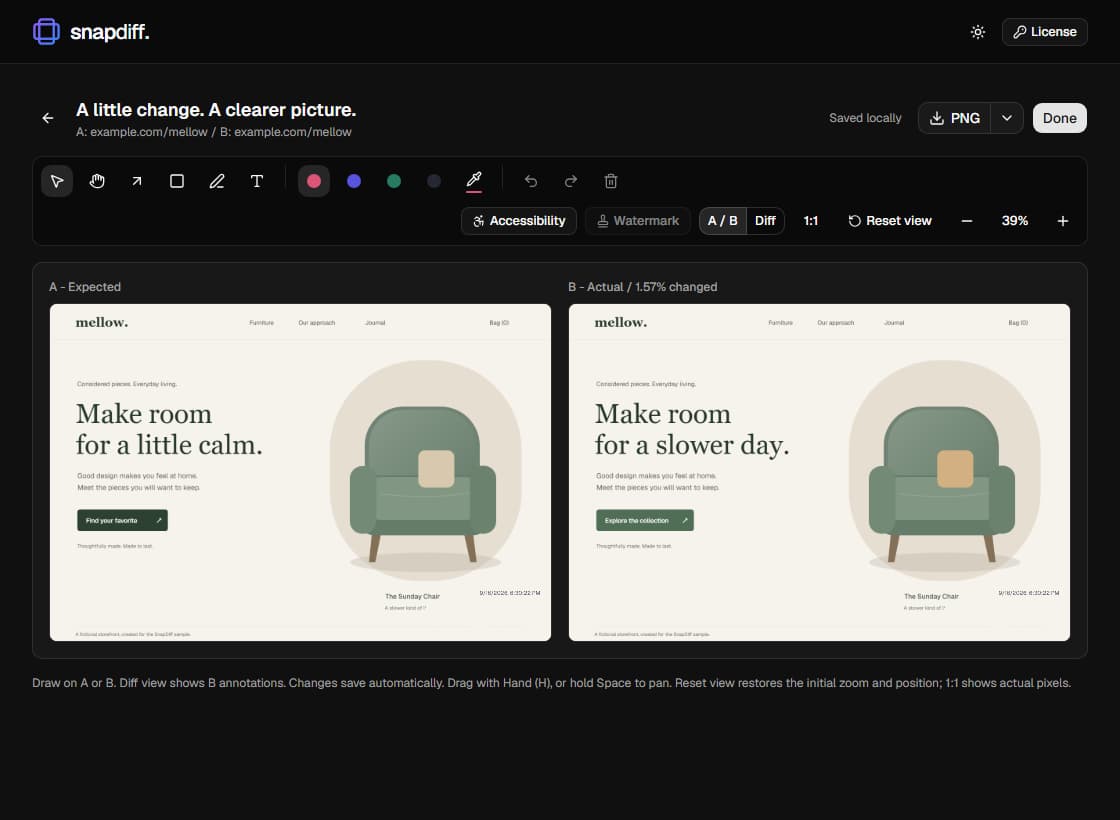
For a client revision or a release handoff, start with one reference and one update. See the capture-to-evidence workflow, then follow the steps below on your own pages.
Compare staging and production in one workflow
Choose the expected state and the actual state you want to review. They can be in different tabs or on different domains, including a local development site and production. You do not need to install a site SDK, connect a repository, or create an account. Every feature is free.
- Open SnapDiff on the reference page. Choose A/B and Viewport, Full page, or Area, then capture A - expected.
- Switch to the changed page or prepare the next state. Reopen SnapDiff and capture B. Keep each source tab visible until that capture finishes.
- Review A / B side by side, or switch to Diff to highlight pixel differences, including when the images have different sizes.
- Choose an arrow, circle, line, or rectangle from Shapes, use Pen with a Thin, Medium, or Thick stroke, or type text directly on the image. Choose red, yellow, green, black, or a custom color. Select an annotation to recolor it, or a text label to change its size. Your last shape, pen width, color, and text size are remembered for the next capture.
- Press Enter or click outside to finish a text label. Changes save automatically. Use Copy or Ctrl/Cmd+C for an annotated PNG, or download the comparison as PNG, JPEG, WebP, or A4 PDF. Use the back arrow to return to Captures.
Make a pixel difference meaningful
Use Ruler (M) to measure spacing within an image or across the side-by-side comparison. Drag for image-pixel distance, or hold Shift to measure horizontally or vertically. Cross-image distances include the gaps between images. Rulers and their labels save automatically and appear in side-by-side exports. With Select, move the line, adjust its endpoints, or reposition the label. Distances update automatically; image pixels may differ from CSS or design pixels.
Use the same viewport, zoom, and relevant page state for both screenshots. Wait for fonts and content where possible. A changed time label or animated banner can create a real pixel difference without representing a regression. SnapDiff highlights visual changes; you decide whether they are expected.
Images retain their original dimensions and use top-left alignment. Different device viewport sizes support both side-by-side review and pixel Diff. Areas present in only one image count as changed, so responsive reflow can produce a large difference. There is no automatic resizing to make screenshots match, and A/B is not a traffic-split experiment.
Review more than two UI states
Use a Multi group for 2-5 screenshots, such as a dialog sequence or desktop and mobile viewport layouts. Each image keeps its own annotations, labels, dimensions, and timestamp. Multi exports one combined side-by-side image and does not calculate a pixel Diff.
Arrows, shapes, pen strokes, text, and rulers can also span multiple images. These shared marks save with the comparison and appear in side-by-side clipboard copies and downloads. In A/B, Diff keeps showing B's image-specific annotations; shared marks remain saved for the side-by-side view.
On Chrome, choose responsive viewport presets or simulate browser locales for sites that support them. These are not physical-device tests or automatic translations. Firefox supports A/B and Multi capture, but cannot create new simulated viewport or locale captures.
Send evidence without uploading your library
Saved screenshots and annotations stay in the browser profile where you captured them. Return through the Captures library to continue a review. Image exports preserve native dimensions; PNG is lossless, while JPEG and WebP use high-quality lossy encoding.
PDF fits the comparison to A4 portrait width and continues long captures onto additional pages, preserving image detail, annotations, and per-image watermarks. It is generated locally and contains images rather than searchable text. Fixed page breaks can split text or annotations. PDF stops above 500 pages or 64 MiB of compressed embedded image data, not an exact final-file-size limit; choose PNG or shorter captures if it reaches a limit.
Choose Copy beside the download button in the editor header to put the annotated PNG on your clipboard, regardless of the selected download format. Copy uses your optional watermark and timestamp settings. Leave the name blank and timestamps off for a clean export, also free. For images too large for the clipboard, download PNG instead.
Attach exported images to your own issue tracker or review thread. SnapDiff has no automatic Jira, Slack, or GitHub sharing integration. Inspect sensitive page content before sharing; drawing over text is not a secure-redaction guarantee. Export important work before clearing storage or uninstalling.
Every SnapDiff feature is free
Capture, compare, annotate, and export without a workflow cap. Local axe accessibility checks, clean or custom watermarks, and timestamp controls are included. No account, payment, subscription, or activation key is needed. Screenshots stay in your browser.
Chrome 120+ is the full-feature baseline. Desktop Firefox 153+ is a limited-feature target, not a promise of a published store listing or complete browser parity. It does not support responsive presets or browser locale simulation. Read the browser support guide.